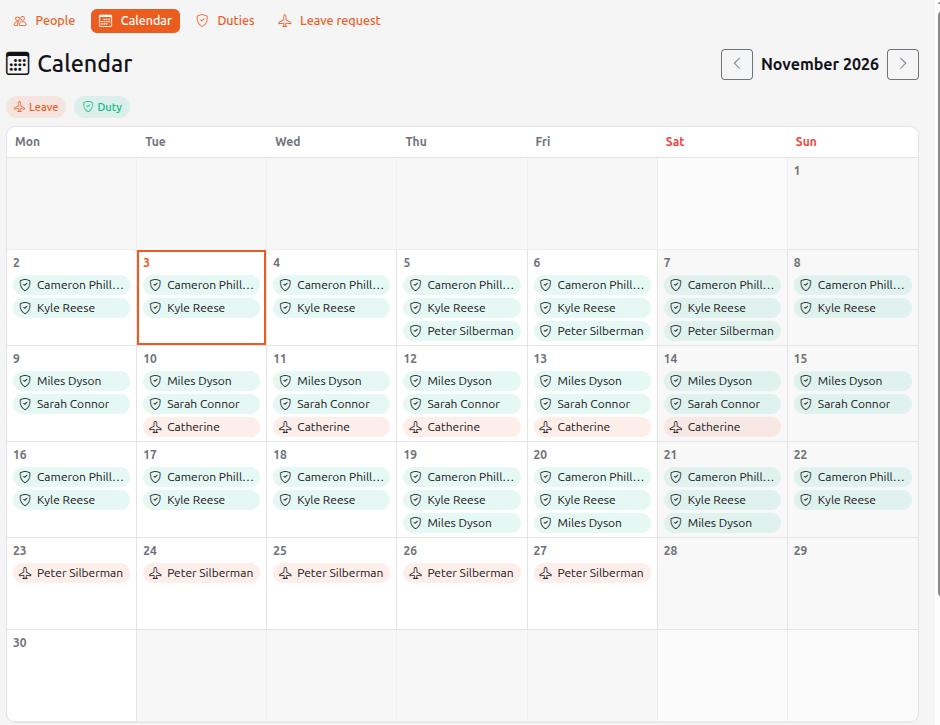
Management → People → the Calendar button is the company-wide calendar. It holds employees' leaves (orange) and duties (green).
How a leave gets there
When a leave request is approved, the system writes the leave to the calendar by itself, and the task activity gets an Autowork — added to the calendar entry. If the resolution is later removed or the request is reopened, the calendar entry is removed automatically.
What you see
- A month grid: each day shows who is on leave or on duty (name and photo). Click a name: a leave opens its request, a duty opens its card. A colour legend is above the grid.
- The arrows switch months, Today returns to the current one.
- Below the grid — the list of the month's events with the number of days.
- In People a On leave until … mark appears next to the name while the person is on leave.